
For Those Who want more....
Managed GHL Virtual Assistant Solutions
Are You Looking For A Dedicated Team of VAs?
You can get a team of 8 VAs who manage your CRM, Social Media, Graphics, Videos, website creation along with a Project Manager..
Are You Looking For A Dedicated Team of VAs?
You can get a team of 5 VAs who manage your CRM, social Media, Graphics, website creation with a project manager..
Other Gohighlevel CRM Services:
24/5 GoHighLevel customer support (UNIQUE)
Dashboard, form and Survey Customization
GoHighLevel sales automation and AI Integrations
Academy For Gohighlevel
Don't go for our word...
Check out what fellow business owners say
GoHighLevel Experts, for bug-less automations
...We've got you covered.
We understand Technical tasks can hold back business owner thus our Highlevel experts are all-rounders from GoHighLevel CRM to GoHighLevel sales automation and workflows. allowing you to focus on closing sales.
Dedicated Experts to one client at a time only
Works according to your time zone
Managed by our team at the backend
Live Communication
Ability to White Label Support
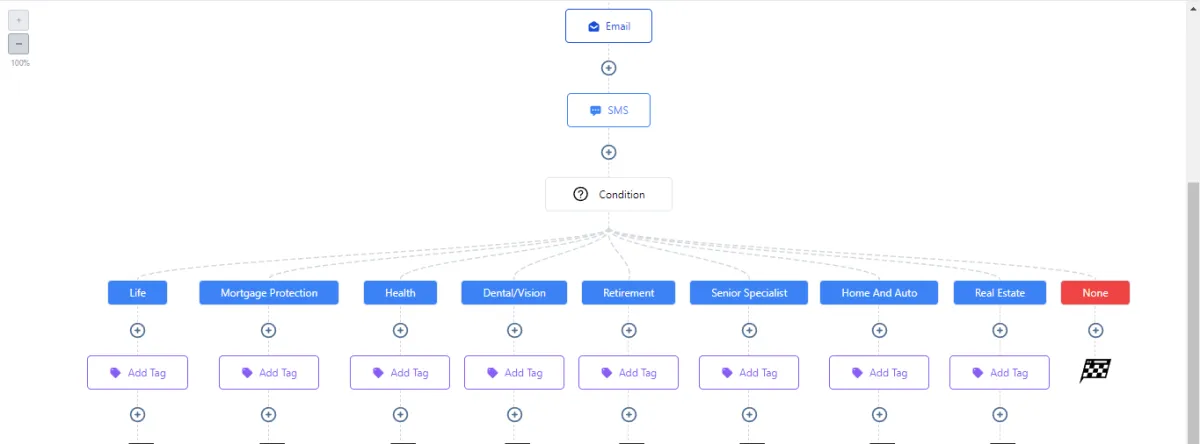
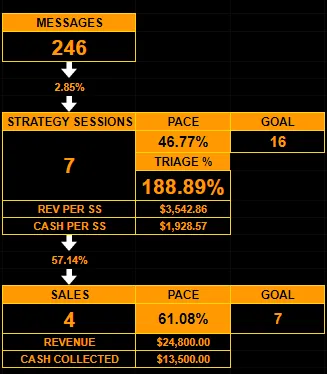
Appointment Setter will keep the flow of organic leads coming in
Each Appointment Setter works 8Hrs/day on your profiles to get you leads organically and grow your audience so you're never out of prospects.
Our VA's specialize in more then just client support but they also work hard at client satisfaction. They make sure that the client is happy with what they are getting and we make sure that none of our VA's are are neglecting their clients.
Setting Appointments using Facebook, Instagram and LinkedIn
Generating Audience on Social Platforms
Meeting Daily KPIs
Automate and Delegate with GHLStarBoys
Appointment Setter will keep the flow of organic leads coming in
Each Appointment Setter works 8Hrs/day on your profiles to get you leads organically and grow your audience so you're never out of prospects.
Our VA's specialize in more then just client support but they also work hard at client satisfaction. They make sure that the client is happy with what they are getting and we make sure that none of our VA's are are neglecting their clients.
Setting Appointments using Facebook, Instagram and LinkedIn
Generating Audience on Social Platforms
Meeting Daily KPIs
Automate and Delegate with GHLStarBoys
Website Developers will do the magic
Do you develop websites for your clients yourself? Well you can spend a fraction of cost on experts who'll do it for you allowing you to manifold your capacity to take on more clients
Custom Websites on wordpress or other CMS
Customization on Websites
Integrating websites with Gohighlevel
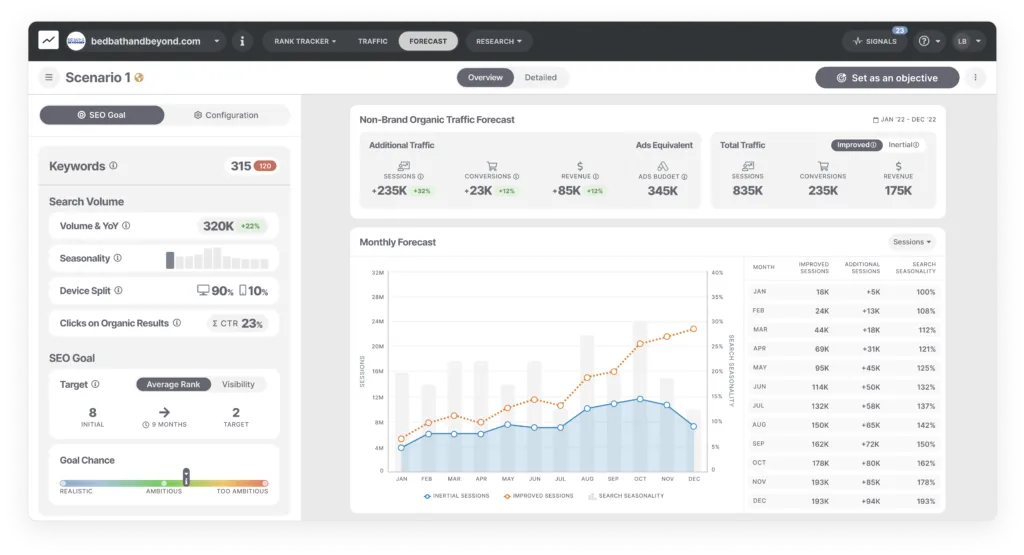
SEO Experts, making sure you're on the top
Moving your Business according to ever changing Google algo
Search Engines are learning everyday, so are we..
Our Internal Brain storming sessions make sure that we are up to the latest advancements. Organic audience are always better with 50% more conversion rate, we know that.
Lets make a truce happen between website and sales funnels.
Ranking with the relevant keywords
Local Visibility Ranking
Completely White Label Services
SEO Experts, making sure you're on the top
Moving your Business according to ever changing Google algo
Search Engines are learning everyday, so are we..
Our Internal Brain storming sessions make sure that we are up to the latest advancements. Organic audience are always better with 50% more conversion rate, we know that.
Lets make a truce happen between website and sales funnels.
Ranking with the relevant keywords
Local Visibility Ranking
Completely White Label Services
Media Buyers, will get you never ending leads
Tired of ads not working out?
Most of the "Expert" media buyers are not aware of ever changing Facebook Rules and regulations thus end up blocking your account. We have weekly calls with Facebook representatives to be briefed about whats coming next so we are ready before hand
Paid Ads on Facebook, Tiktok. Google and Youtube
Integrating Ads with GHL
Tracking and Testing metrics and KPIs
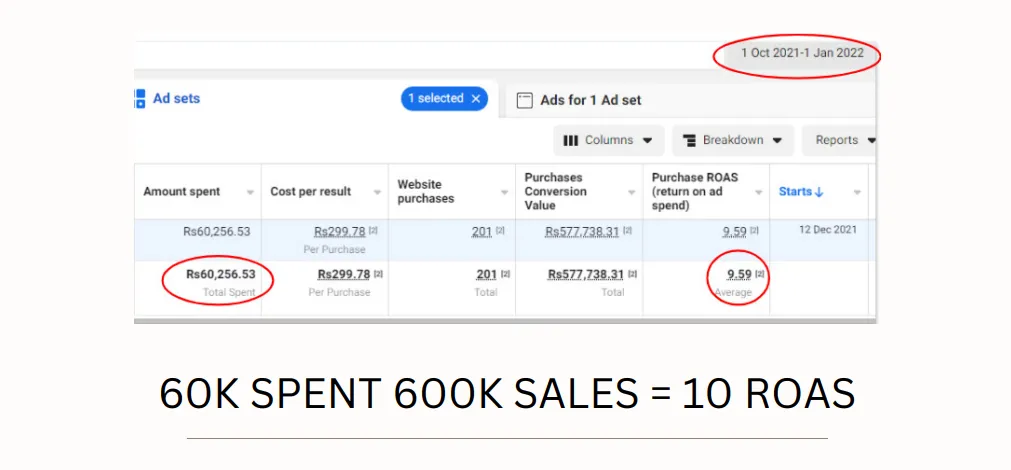
Each and every one of our Assistant is 100% Managed
Internal Daily KPIs
Live Time Tracking
Free Strategy Sessions
Our Hiring Criteria's are based on highly selective skills which makes sure that you get the best fit for your agency. At the backend we make sure that your tasks are started and completed on time. We track the time and monitor our internal tracking sheets.
24 HOUR SERVICES ACROSS THE GLOBE

Free Replacements

Yes, you heard it. Free!
Sometimes it does not works out BUT you don't have to pay the price of that. If a VA doesn't performs we would replace them for you and make sure the next one is shadowed and ready to take off. This is all free of cost.
We also refresh your payment date from the day replacement is done if the request is made within 7 days.
Starting from: $3/hour
LIVE TIME TRACKING

Live time tracking for your GHL Virtual Assistants
All the VAs work according to your time zone 8hrs/day so there is no gap in the communication and they're working when you are working, boosting your business performance. Imagine getting your calendar filled in while you're on the call with another client.
Starting From: $3/hour
Team of VAs
You Can Hire a Team of 8 Managed VAs
1. CRM Expert
2. Graphic Designer
3. Video Editor
4. SEO Expert
5. Appointment Setter
6. Data Entry and Admin
7. Media Buyer
8. Social Media Manager
9. Project Manager
Starting From: $1500/Month
Unleash the Power of GoHighLevel CRM : Overcoming the Initial Hurdles!
We are Here To Help!
Need high quality & high converting funnels to engage more leads?
Frustrated with purchasing low-quality snapshots that take hours to figure out?
Is automation not functioning according to your desired expectations?
Curious about the extensive capabilities of GoHighLevel beyond what you already know?
Eager to explore and learn additional cool tips and tricks for maximizing your use of GoHighLevel (GHL)?
Unsure if your GoHighLevel is optimized with the best settings?
Looking for assistance in crafting and designing your SaaS website?
Require assistance in customizing the dashboard's appearance to align perfectly with your brand?
Looking to offer your clients genuine white-label marketing services for their business?
Feeling overwhelmed and in need of guidance on where to begin? Seek a consultation to get started on the right track.
Don't make the mistake of working IN your business
Hire the best GHL experts who are always learning
Choosing GHL Star Boys would not only give you talented GHL experts who are cooperative and responsive but you would also get free Brain Storming sessions if you ever need to address anything because that's the world we live in. We hope you wanna live in that world too.
Listen to the people we've served...
Growth Like Spacex Rocket... hehe
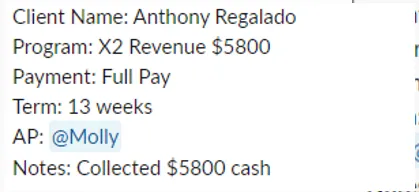
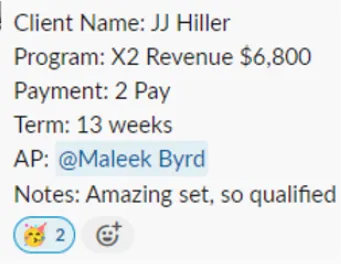
Our process
From starting line to finish line, WE USE NITROUS!!
First 1-1 Introductory Call
You book a call with our Team. We discuss about what your needs are and who could be the perfect fit for your agency.
Finding the right fit
According to the information you've provided us, we search among our pool of hundreds of VAs to find the right fit for you.
Vetting
We get the VA ready to start working with you and your clients completely Whitelabel
On-boarding
We add you with the Project manager and VA inside our Slack channel. You are always in direct contact with the VA over slack open to have daily/ weekly meetings.
Management..
Our team Manages the VA for you, which means even if you are not tracking the activities of the VAs... WE ARE. We make sure the VA is on time and efficiency is not compromised.
HIRE REMOTE TEAM MEMBERS AND DELEGATE YOUR TIME TAKING TASKS
EVERY PLACEMENT IS BACKED BY OUR LIFETIME FREE REPLACEMENT WARRANTY!
WITH GHLSTARBOYS YOU CAN WORK ON YOUR BUSINESS INSTEAD OF WORKING IN YOUR BUSINESS
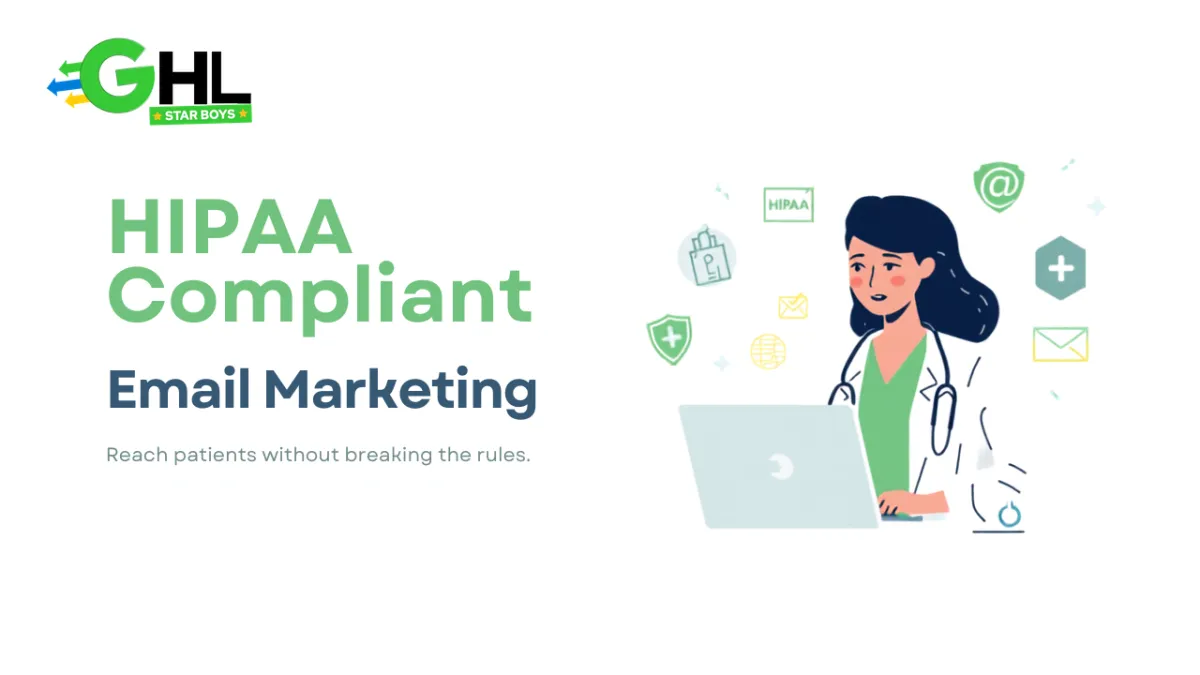
HIPAA-Compliant Email Marketing: The Complete Guide for Practices
HIPAA-compliant email marketing means reaching patients by email in a way that never exposes protected health information and that follows the rules HIPAA sets for marketing communications. In plain terms: you can send newsletters, health tips, appointment nudges, and practice updates, but the email tool has to be covered by a Business Associate Agreement, the message cannot reveal a patient's condition or treatment, and any email that genuinely counts as marketing needs the patient's authorization first. Done right, email becomes one of the cheapest ways a practice keeps patients coming back, without ever putting their data at risk.
Email is where a lot of otherwise careful practices slip up. Texting and intake forms feel obviously sensitive, so people handle them with care. Email feels casual, like something the front desk can fire off between patients, and that is exactly why a well-meaning newsletter can quietly cross a line. This guide walks through what the rules actually say, what you can and cannot send, which tools are safe, and how to run email that fills the calendar without creating a compliance problem.
Is Email Marketing Even Allowed Under HIPAA?
Yes, and this is worth stating clearly because a surprising number of practices believe email marketing is off limits. It is not. HIPAA does not prohibit emailing patients, and it does not prohibit marketing to them either. What it does is draw a careful line around communications that count as marketing and attach conditions to them, chiefly a patient authorization and safeguards on the data.
The confusion usually comes from mixing two separate questions. One is whether you are allowed to send the email at all. The other is what the email is permitted to contain and what permission you need first. Once you separate those, the picture gets much simpler, and most of the email a healthy practice wants to send turns out to be perfectly allowed.
What Does HIPAA Actually Say About Marketing?
Under the HIPAA Privacy Rule, marketing is defined as a communication about a product or service that encourages the recipient to buy or use it, and such communications generally require the individual's written authorization before you send them. The official HHS guidance on marketing lays this out, including the point that if you are being paid by a third party to send the message, the authorization has to say so.
There are important exceptions. Communications about the patient's own treatment, or made to carry out the practice's own healthcare operations, are generally not treated as marketing in the same way. A reminder that a check-up is due, a note about a service the patient already receives, or general health education tied to care sits in different territory from a promotion designed purely to sell. The full framework lives on the HHS HIPAA site, and because these distinctions can get nuanced, a practice should confirm its own use cases with a compliance advisor rather than guessing.
The practical takeaway is that the label matters. Before an email goes out, it helps to ask a simple question: is this supporting the patient's care and the running of the practice, or is it trying to sell something? The answer tells you whether you are in operational territory or marketing territory, and marketing territory is where authorization comes in.
Operational Emails vs Marketing Emails
This single distinction resolves most day-to-day questions, so it is worth making concrete. Operational emails keep care and the practice running. Marketing emails try to move a product or service. The same practice sends both, and they follow different rules.
Operational emails include things like appointment confirmations and reminders, billing and payment notices, forms to complete before a visit, and post-visit care instructions. These support treatment or the operation of the practice and generally do not require marketing authorization, though they still must protect any health information they contain, which is the same principle behind HIPAA-compliant patient texting.
Marketing emails include promotions for elective services, campaigns encouraging patients to book a paid treatment, or third-party offers. These are the ones that trigger the authorization requirement. The trap is the middle ground: a newsletter that starts as friendly health education but slides into pushing a specific paid service can shift from operational to marketing without anyone deciding to cross that line.
What Makes an Email HIPAA Compliant?
Whether an email is operational or marketing, the same foundations protect the data inside it. Five things need to be true:
- A signed BAA with your email provider and anything downstream that stores or processes the message. Without one, sending anything involving protected health information is not compliant.
- Encryption in transit and at rest, so the message and the contact data behind it are protected on the way and in storage.
- No protected health information in the subject line or body, unless you have the authorization and safeguards that specifically allow it. Subject lines are especially exposed because they show on a locked screen.
- Restricted access and audit logging, so only staff who need the contact data can reach it, and access can be proven later.
- Consent and an easy unsubscribe, covering both the HIPAA authorization for marketing and the unsubscribe that email law requires.
Notice that the wording of the message is only one of the five. The tool behind it, the data controls, and the permissions matter just as much, which is why the safest email programmes are built on the same foundation as the rest of the practice rather than bolted on with a separate app.
The Most Common HIPAA Email Marketing Mistakes
Almost every violation in email comes down to a handful of habits carried over from ordinary marketing. They are easy to make and easy to avoid once you know them:
- Putting clinical detail in the subject line. "Time for your diabetes follow-up" exposes a condition to anyone who glances at the phone. The subject line is the single most common leak.
- Segmenting lists by diagnosis or treatment. Building a campaign list of everyone with a particular condition creates a file that itself reveals protected health information, even before you send anything.
- Using a tool with no BAA. Reaching for the free email platform the marketing team already uses, without checking whether it will sign a BAA, is the classic misstep.
- Merge tags that pull in health data. Personalisation fields that auto-insert a treatment, provider, or reason for visit turn a friendly touch into a disclosure.
- Forwarding and replies. Staff forwarding a patient email to an unprotected inbox, or replying with clinical detail in plain text, undoes the safeguards on the original.
The reassuring part is that avoiding all five costs you nothing in results. None of these habits make email more effective. They just make it riskier.
Can You Use Mailchimp or Other Standard Email Tools?
Usually not on their standard plans. The deciding factor is never how polished the tool looks, it is whether the provider will sign a BAA and how the data is handled. Most mainstream email platforms will not sign one on their free or standard tiers, and some send or store data in ways that are fine for a shoe shop and unacceptable for a clinic.
Some providers offer a dedicated healthcare or enterprise plan that does include a BAA, which can work. The important thing is to ask three questions of any tool before it touches patient data: will you sign a BAA, is the data encrypted at rest and not just in transit, and can I control who sees the contact lists and see a log of access. If any answer is no, the tool is not fit for the job, whatever its reputation.
Which Setup Should a Practice Use?
Practices generally choose between a standard email tool, an email service provider with a paid HIPAA add-on, a generic marketing CRM, or a system built with HIPAA in mind from the start. They differ most on whether a BAA is even available and whether the tool actively keeps clinical detail out of the message. Here is the comparison.
| What you are comparing | Standard Email Tool (free tier) | ESP with a HIPAA Add-On | Generic Marketing CRM | HIPAA-Aware GoHighLevel Build (GHLStarboys) |
|---|---|---|---|---|
| Will sign a BAA | Almost never on free or standard plans | Yes, on the paid healthcare tier | Often not, built for general sales | Handled before the first email sends |
| Keeps PHI out of the message | No guardrails, merge tags expose data | Some, depends on setup | No, templates insert everything | Designed to personalise without clinical detail |
| Segmenting by condition | Possible and risky, a common breach | Allowed but needs care | Encouraged, which is the problem | Structured so lists never leak a diagnosis |
| Access controls and audit trail | Minimal | Available on higher tiers | Usually open to the whole team | Role-based access, actions logged |
| Ties into the rest of the practice | Standalone, data re-keyed by hand | Limited integrations | Varies | One system with booking, forms, and reminders |
Standard tools are cheap but usually uncovered. A HIPAA add-on plan can work but often leaves the compliance thinking to you. A generic CRM automates well but was built to sell loudly, which is the opposite of what patient email needs. A HIPAA-aware build ties email to the rest of the practice, so a newsletter, a reminder, and a booking all run from one protected system rather than a patchwork of apps that each hold a copy of your patient data.
How to Personalise and Segment Without Exposing PHI
Personalisation is what makes email work, so the goal is not to strip it out, it is to personalise on safe fields. A first name in the greeting is fine. Location, general interests a patient has volunteered, and whether someone is a current or past patient are usually safe bases for segmenting. What you avoid is building lists or messages around a diagnosis, a procedure, or a medication.
If you genuinely need to reach patients about a specific condition, that is exactly the situation the authorization process exists for, and it should be handled deliberately rather than by quietly filtering a list. For everything else, segmenting on non-clinical attributes gives you most of the relevance with none of the exposure. The same discipline applies to the data you collect in the first place, which is why a compliant email programme pairs naturally with HIPAA-compliant intake forms that keep clinical answers in the protected record instead of the marketing list.
Consent, Authorization, and Unsubscribe
Two separate rules govern permission, and a good programme satisfies both. HIPAA requires authorization for communications that count as marketing. Email law, chiefly CAN-SPAM, requires that every marketing message include a clear way to unsubscribe and that you honour those requests promptly. One is about health privacy, the other about email conduct, and you need to respect both.
In practice this means capturing a documented opt-in when patients agree to receive updates, keeping that record, and putting a working unsubscribe link in every marketing email. It is not onerous, and it protects the practice on both fronts. Treat consent as something you can prove, not something you assume, and most of the risk in this area disappears.
What You Can Safely Send
Plenty, once the groundwork is in place. Practices run effective, compliant email around general health education and seasonal tips, practice news like new providers or extended hours, appointment availability and recall reminders, review and referral requests that reference the experience rather than the treatment, and reactivation messages for patients who have not visited in a while. None of these require naming a condition, and all of them keep a practice top of mind.
This is the same pattern that works for specific verticals too. A dental group, a physiotherapy clinic, and a med spa all run recall and reactivation email on the same principle: helpful, well-timed, and free of clinical detail. The content changes, the compliance discipline does not.
Building It on the Right Foundation
The cleanest way to run patient email is to stop treating it as a separate marketing tool and start treating it as one channel inside a compliant patient system. When email lives in the same place as your booking, your forms, and your reminders, the same access controls, the same BAA, and the same audit trail cover all of it, and a patient's data never has to be copied into yet another app that may or may not be safe.
That is the difference between a compliant email programme and a compliant practice. The first protects one channel. The second protects the whole patient journey, and email simply plugs into it. If you are starting from scratch, it makes sense to understand the wider HIPAA-compliant GoHighLevel CRM setup first, then let email run on top of that foundation rather than beside it.
Frequently Asked Questions
Is email marketing allowed under HIPAA?
Yes. HIPAA does not ban email marketing to patients. It regulates what the email can contain and, for communications that count as marketing, generally requires a patient authorization first. Newsletters, general health tips, and practice updates that reveal no protected health information are usually fine, while promotions tied to someone's diagnosis or treatment need written authorization.
Is Mailchimp HIPAA compliant?
Not on its standard plans. Most mainstream email tools will not sign a Business Associate Agreement on their free or standard tiers, which makes them unsuitable for any email involving protected health information. Some providers offer a separate healthcare or enterprise plan that includes a BAA, so the question is always whether they will sign, not the brand name.
Can I put a patient's name in a marketing email?
A first name used as a greeting is generally low risk, because a name on its own is not clinical information. The danger is combining identity with health detail, such as referencing the condition, treatment, or department a patient is associated with. Keep the personalisation to non-clinical fields and the risk stays low.
Do patients have to opt in to marketing emails?
For communications that qualify as marketing under HIPAA, you generally need the patient's authorization. On top of that, email law such as CAN-SPAM requires a clear unsubscribe option in every marketing message. In practice you want both a documented opt-in and an easy way to opt out.
What is the difference between a marketing email and an operational email?
An operational email supports care or runs the practice, such as an appointment reminder or a billing notice, and generally does not need marketing authorization. A marketing email encourages the patient to buy or use a product or service. The line matters because marketing communications carry the authorization requirement and operational ones usually do not.
Want Patient Email Set Up Properly?
Building patient email that keeps the calendar full without exposing protected health information, with the BAA, access controls, safe segmenting, and consent all handled from day one, is the kind of work specialist teams like GHLStarboys put together for medical and wellness practices. If you would rather not guess at where the marketing line sits, it is worth booking a free growth call with them to see what a compliant email programme looks like for your practice.


Copyright © 2026 GHLstarboys All Rights Reserved.
A project of ROZI ACADEMY